One of the biggest new features in OS X Mountain Lion is Notification Center, which provides a unified area where applications can send you alerts and notices. Many third-party Mac apps already use the Growl framework, which does not yet offer a way to integrate with Apple’s native Notification Center. This means you have two different alert styles popping up, and none of your Growl alerts will ever appear in NC.
Some solutions like Hiss will dump your Growl alerts into NC, but they all appear underneath the Growl name and icon instead of grouped by individual app like you’d expect:
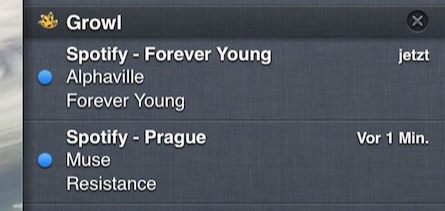
No bueno: Hiss in action. It just lumps your notifications under “Growl”.
We can do better. Here’s how you can get your existing Growl-enabled applications to send actual Notification Center alert bubbles and stack up inside the NC sidebar.
Step 1: Download this Growl workaround .zip and look for the folder named “Growl.framework” inside. (If you’re wondering what that is, it’s the Growl 2.0 framework taken straight from the SDK.)
Step 2: Go to your Mac’s “Applications” folder. Right-click on any application you typically receive Growl alerts for and click “Show Package Contents”.
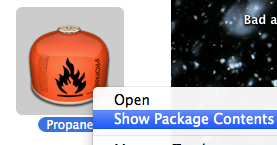
Step 3: Go into the “Contents” folder, then the “Frameworks” folder. Drag the newly downloaded “Growl.framework” folder right into here, replacing the existing Growl.framework folder.
Step 4: Repeat this process for every application you receive Growl alerts for: Adium, Evernote, Skype, Transmission, Twitter, and so on.
Step 5: Finally, go into the Growl section of System Preferences and hit the “Stop Growl” button.
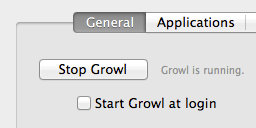
Growl can’t be running anymore, so be sure to hit “Stop Growl”. Don’t let it start at login anymore, either.
Once you relaunch any running applications you’d normally receive Growl alerts for, you will discover that they are sending native Notification Center bubbles and appearing in the NC drawer.
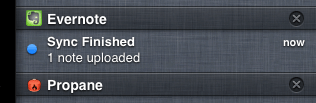
Growl-enabled apps, now in Notification Center.
You can customize the order in the Notifications area of System Preferences like usual. Enjoy!


 Aaron Draczynski